.png)
How do I use these rewards points?Updated 2 months ago
For every successful order you place, you’ll earn reward points. You can redeem these points for a one-time discount voucher to use on your next order.
First, make sure you are logged into your account at https://wellnessnest.co/ (please use the same account you used for your purchase). Once logged in, just follow these steps:
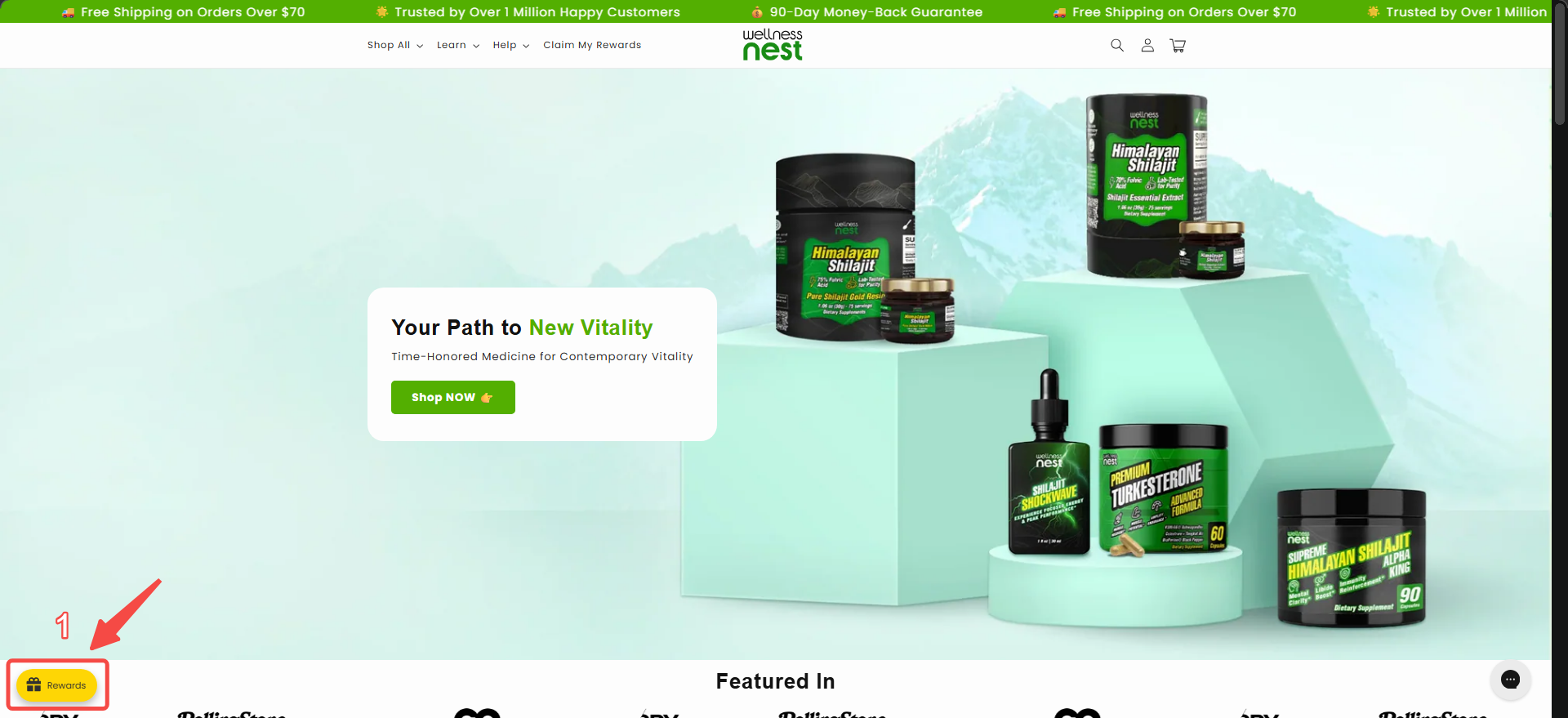
Step 1: On the main page, look for the “Reward” icon at the bottom left corner of your screen.
Step 2: Click on “Redeem Points.”

Step 3: Choose the discount voucher option that matches your available points balance.

Step 4: After selecting your preferred reward, click “Redeem.”

Step 5: Your unique discount code will appear on the screen—copy and save this codefor your next order.


That’s it! Use your unique code at checkout on your next order. If you have any issues redeeming your points, please contact our Customer Experience Team.
First, make sure you are logged into your account at https://wellnessnest.co/ (please use the same account you used for your purchase). Once logged in, just follow these steps:
Step 1: On the main page, look for the “Reward” icon at the bottom left corner of your screen.
Step 2: Click on “Redeem Points.”
Step 3: Choose the discount voucher option that matches your available points balance.
Step 4: After selecting your preferred reward, click “Redeem.”
Step 5: Your unique discount code will appear on the screen—copy and save this codefor your next order.
That’s it! Use your unique code at checkout on your next order. If you have any issues redeeming your points, please contact our Customer Experience Team.