.png)
How do I remove an item from my cart?Updated a month ago
If you’ve added something to your cart by mistake, don’t worry—removing items is easy:
Step 1: Click the cart iconat the top right corner of our website (it looks like a shopping bag or basket).
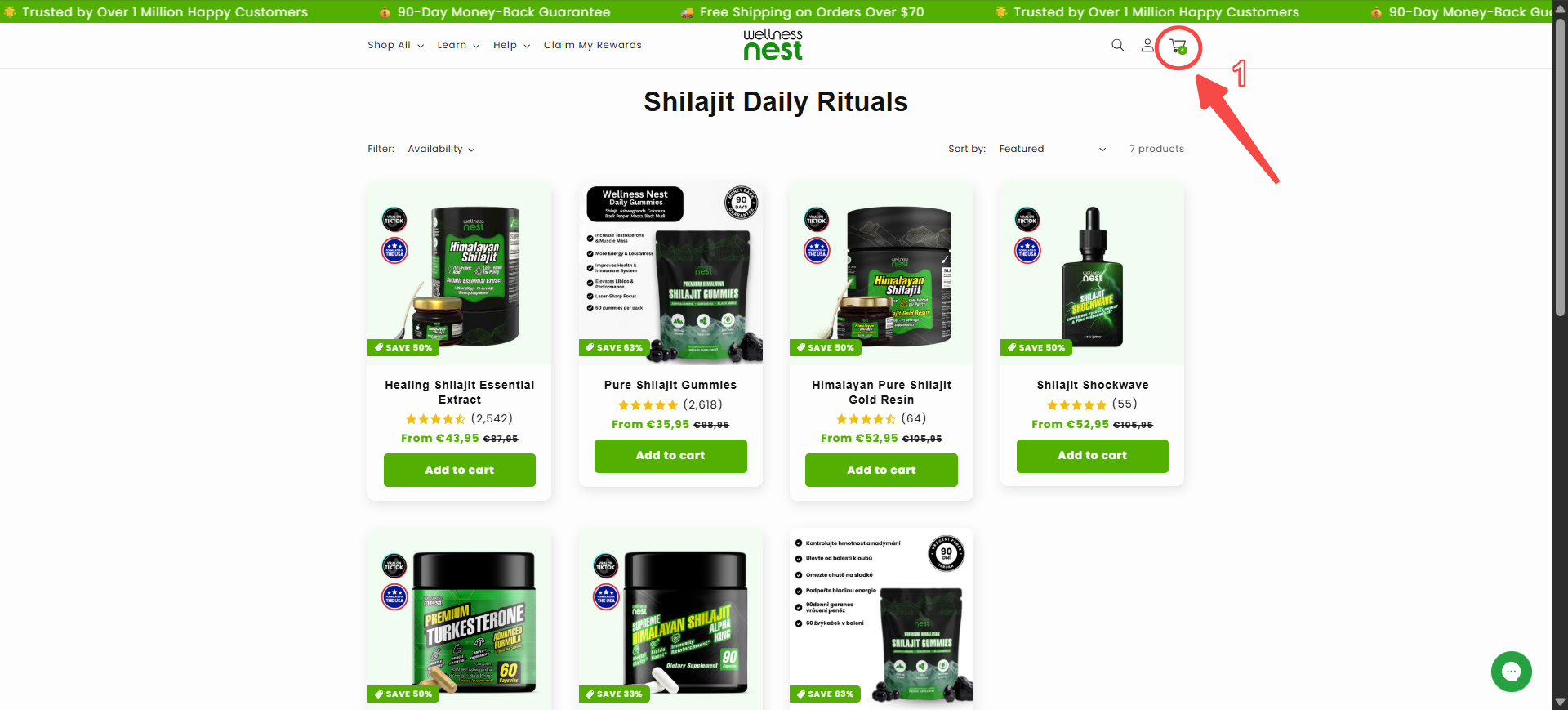
Step 2: You’ll see a list of all items currently in your cart. Next to each product, you’ll see a small trash bin icon. To remove a product, simply click this trash bin icon beside the item you want to delete.
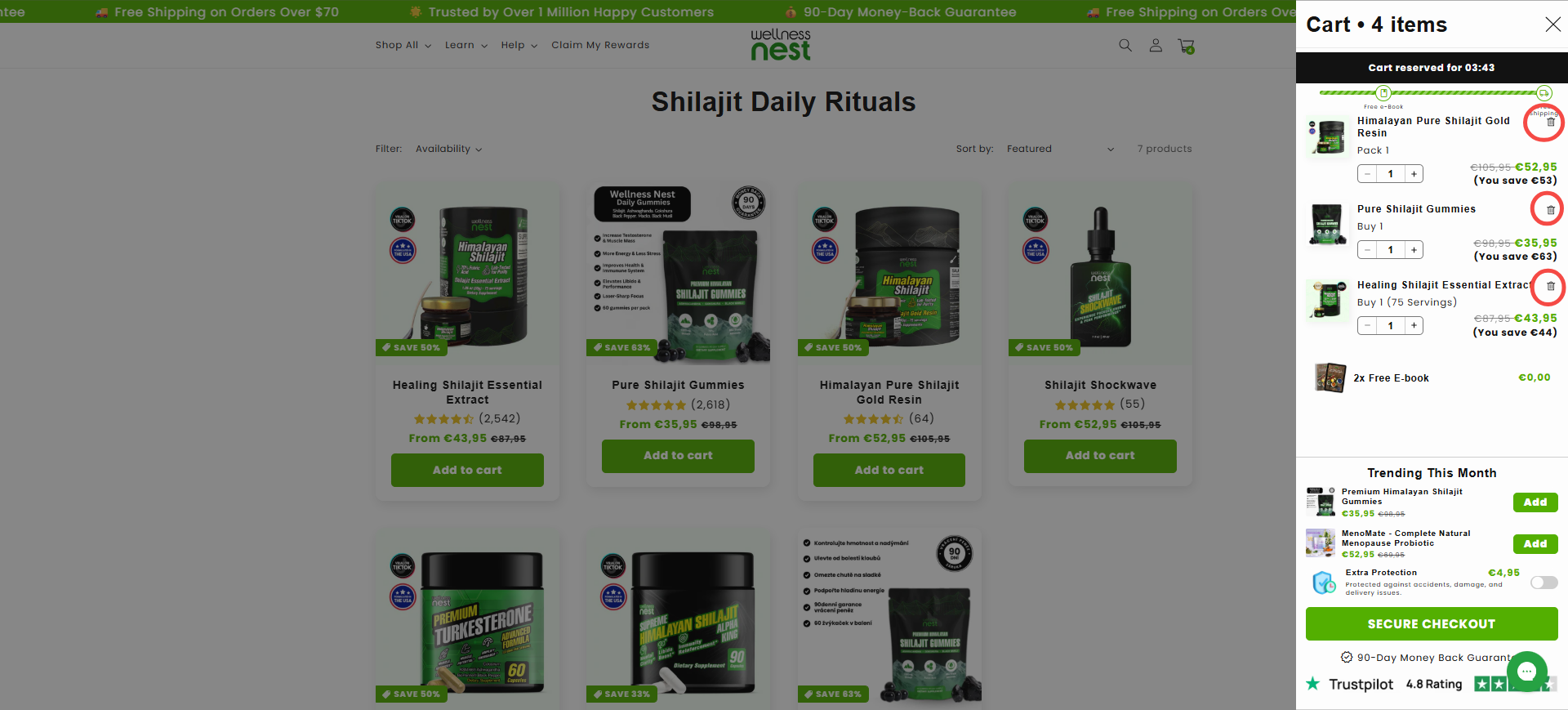
Step 3: Double-check your cart to make sure only the products you want remain.
Step 4: Once your cart looks correct, click “Secure Checkout” to proceed with your order.
If you have any trouble or need step-by-step help, please contact our Customer Experience Team.
Step 1: Click the cart iconat the top right corner of our website (it looks like a shopping bag or basket).
Step 2: You’ll see a list of all items currently in your cart. Next to each product, you’ll see a small trash bin icon. To remove a product, simply click this trash bin icon beside the item you want to delete.
Step 3: Double-check your cart to make sure only the products you want remain.
Step 4: Once your cart looks correct, click “Secure Checkout” to proceed with your order.
If you have any trouble or need step-by-step help, please contact our Customer Experience Team.