.png)
How do I create a Wellness Nest account?Updated a month ago
You can create an account in just a few steps: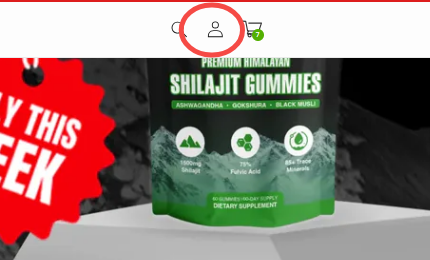
We do not use passwords for login. Instead, each time you want to sign in, simply:
1. Go to our website https://wellnessnest.co/.
2. Click the account icon: On the top right corner of the page, click the person / account icon.
3. Enter your email address
Type in the email addressyou want to use for your account. Please make sure this email is correct and active – this is where you’ll receive: order confirmations, shipping updates, important account and promotion emails.4. Enter the verification code We will send a 6-digit verification code to the email address you entered.
- Check your inbox (and your spam/junk folder if you don’t see it within a few minutes).
- Enter the code on the website to confirm your email.
We do not use passwords for login. Instead, each time you want to sign in, simply:
Enter your email address
Enter the new 6-digit verification code sent to that email