.png)
How do I cancel my membership/subscription?Updated a month ago
First, please log in to the account you used to purchase your subscription at https://wellnessnest.co/. If you are already logged in, simply follow these steps:
Step 1: On the main screen, click the person icon at the top right corner.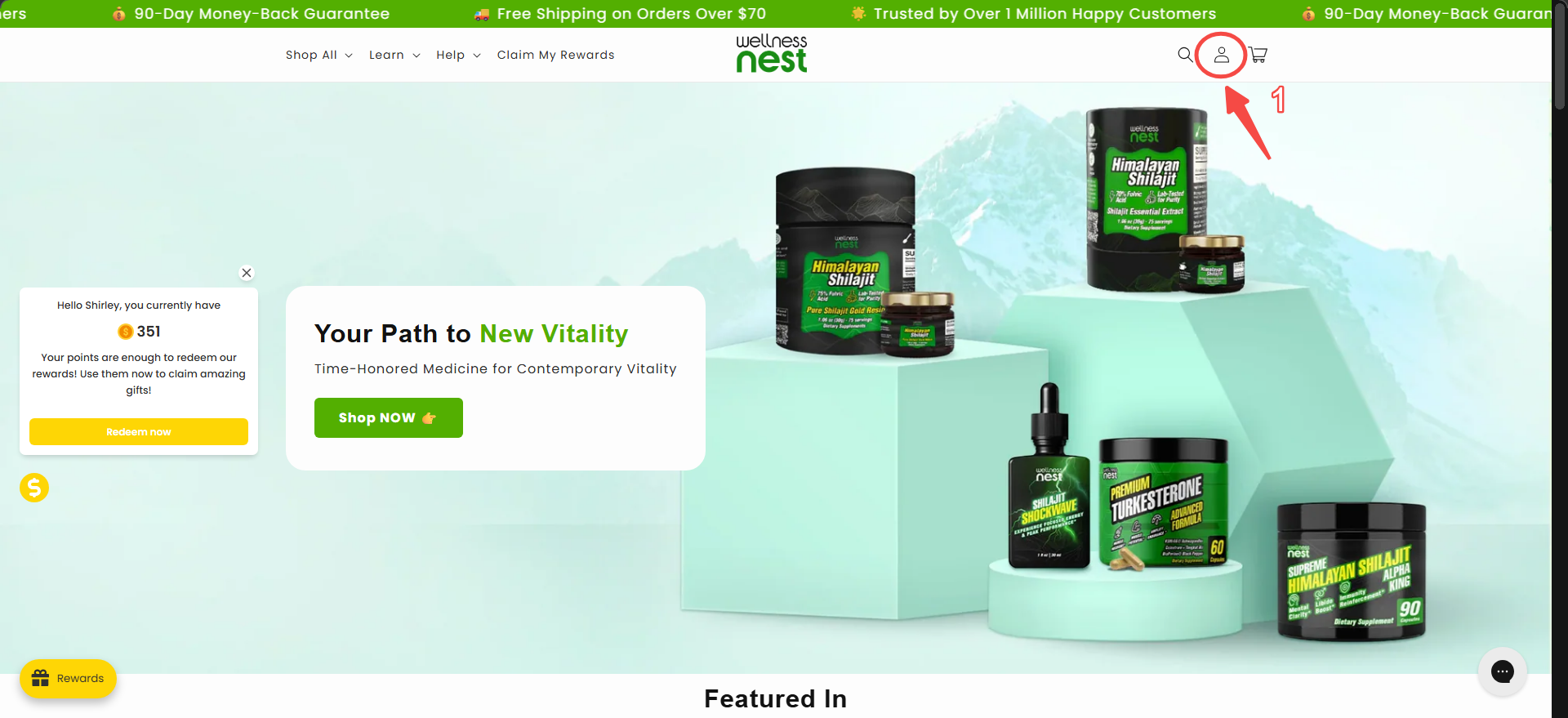
Step 2: You’ll see your order history and details about upcoming subscription orders. Click “View and manage order.”
Step 3: Select “Manage this subscription.”
Step 4: Click “Cancel subscription.”
Step 5: Choose your reason for canceling and click “Next.”
Step 6: Click "No thanks – Cancel Subscription"
Step 7: If you’d like, enter any feedback or comments, then click “Confirm cancellation.”
Once you complete these steps, you’ll receive confirmation that your subscription has been canceled.
To double-check, return to your account dashboard—if you see “You don’t have any active subscriptions,”your cancellation was successful.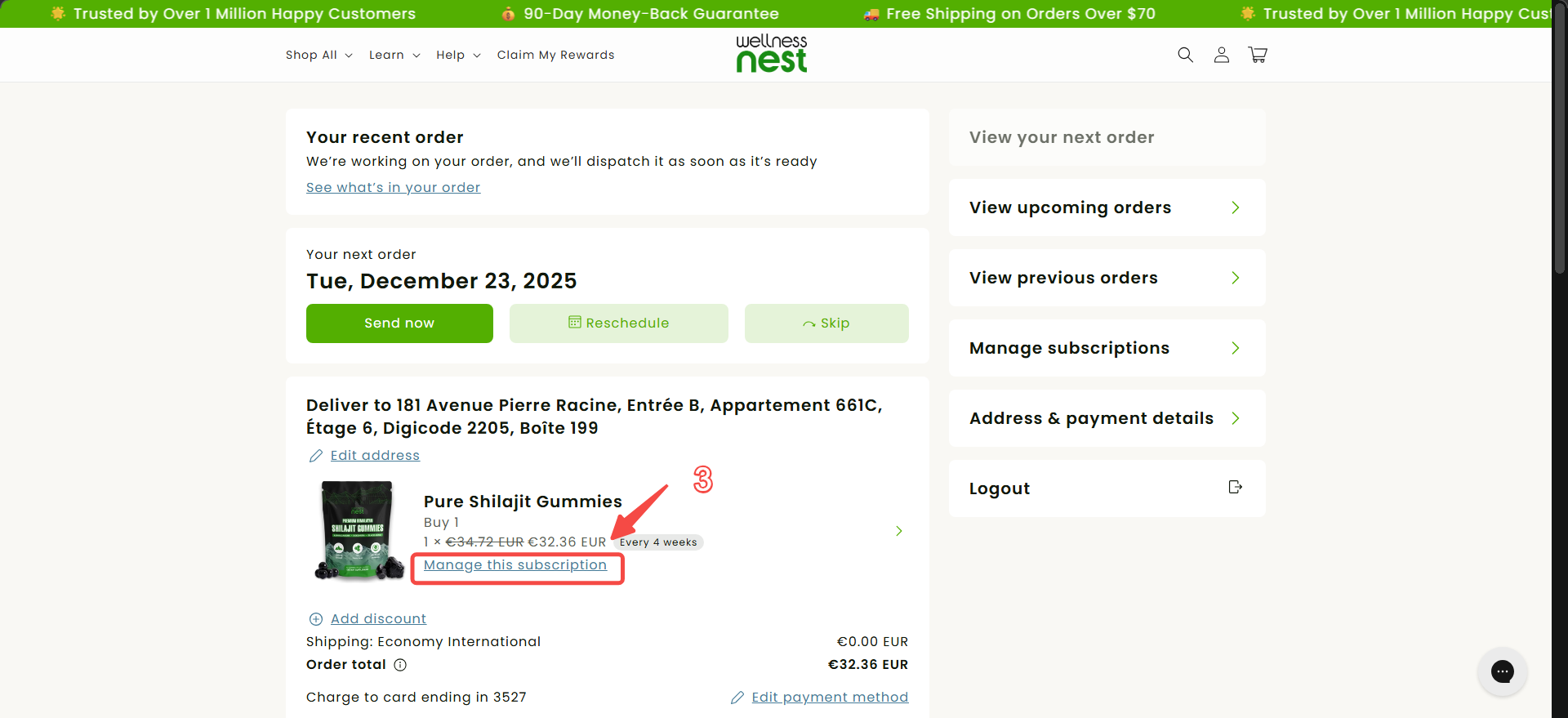
If you have any issues or questions, please contact our Customer Experience Team.
Step 1: On the main screen, click the person icon at the top right corner.
Step 2: You’ll see your order history and details about upcoming subscription orders. Click “View and manage order.”
Step 3: Select “Manage this subscription.”
Step 4: Click “Cancel subscription.”
Step 5: Choose your reason for canceling and click “Next.”
Step 6: Click "No thanks – Cancel Subscription"
Step 7: If you’d like, enter any feedback or comments, then click “Confirm cancellation.”
Once you complete these steps, you’ll receive confirmation that your subscription has been canceled.
To double-check, return to your account dashboard—if you see “You don’t have any active subscriptions,”your cancellation was successful.
If you have any issues or questions, please contact our Customer Experience Team.